Connections have meaning.
Named terminals and breadboard strips form conductor nets. Crossing wires do not connect. A colored power rail has no voltage until it is wired to a source.
Topology first. Appearance second.FIELDWORK / A PLACE TO WORK THINGS OUT
An approachable 3D workbench for exploring how code, components and connections fit together. Make a light blink. Trace its path. Change something and see what happens.
01 / GET YOUR HANDS ON IT
A small circuit is all it takes to start asking better questions. Choose a study, power the board and make your first change.
Switching reloads this demo. Save your changes or export your project first.
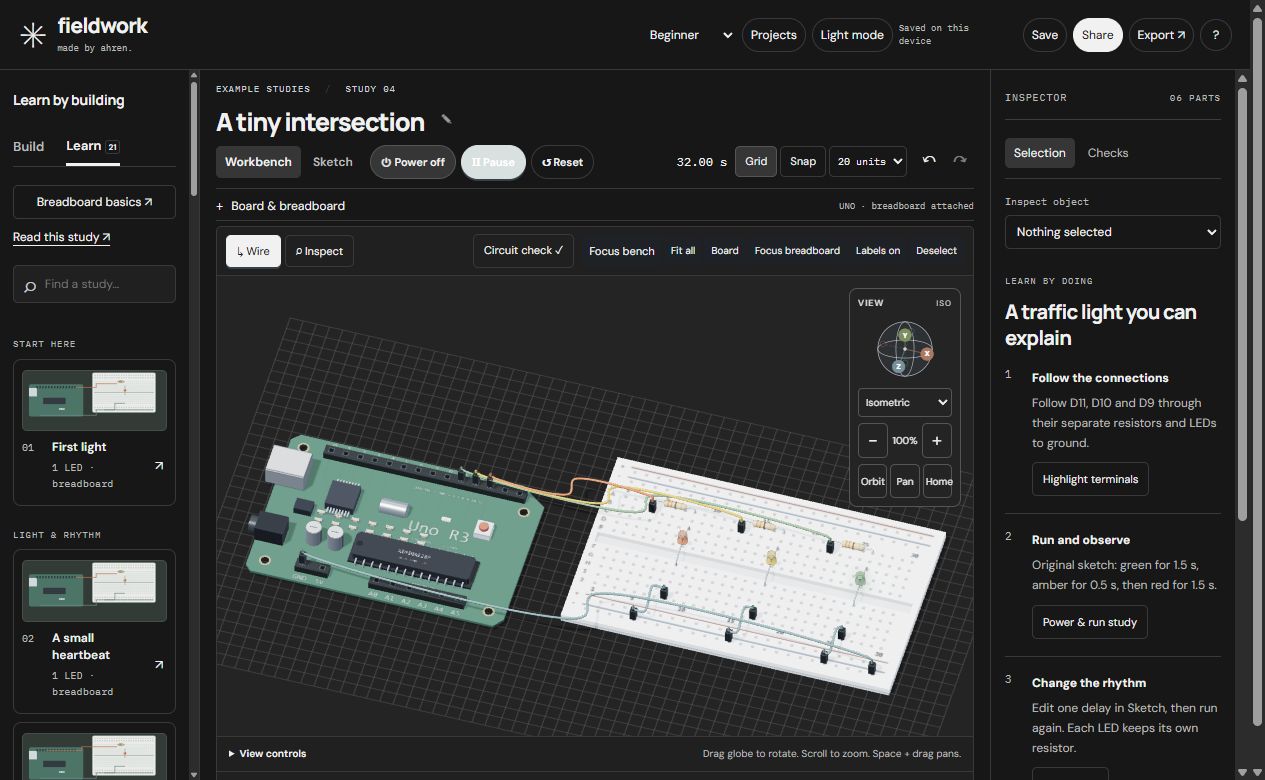
Launch the real workbench here. Green → yellow → red, with each branch ready to inspect.
Saves in this browser belong to this demo. Use Projects → Back up all projects to keep a portable copy.
02 / THE ENGINEERING BEHIND THE EXPERIENCE
A good workbench earns your trust in the details: a connection you can trace, an edit you can reverse, and an experiment you can recover.
Named terminals and breadboard strips form conductor nets. Crossing wires do not connect. A colored power rail has no voltage until it is wired to a source.
Topology first. Appearance second.Place leads and reroute jumpers without touching the saved circuit. Cancel a draft, or commit it as one change that Undo can reverse.
A deliberate boundary between trying and editing.Saved-project validation, stale-tab checks, additive restores and a labeled 2D fallback help keep experiments recoverable.
Recovery is part of the design.The checks cover circuit topology, project validation and recovery. Separate browser checks exercise keyboard control, cancelled drafts, undo, reconnecting wires and graphics-loss recovery.
These results describe the tested build. They do not certify real hardware or every browser.
03 / AN INDEPENDENT STUDENT PROJECT
FIELDWORK is an independent electronics workbench by Ahren Becker, an engineering student. The question behind it: how can a circuit tool make its behavior easier to see, explain and recover?
Product direction and hands-on visual review by Ahren; AI-assisted implementation and automated testing. This case study documents the resulting design decisions, their tradeoffs, and the evidence behind the current build.
A restricted Arduino-like interpreter, ideal Uno/Nano I/O, supported inputs and simple LED/resistor branches. It does not compile C++, emulate a microcontroller or provide SPICE analysis. Unsupported boards and components are labeled design-only.
This build passes 204 core tests. Separate isolated browser checks exercise placement, reconnection, keyboard and mouse use, cancel/undo, graphics-loss recovery and project persistence. The Windows package is checked against its source assets. These checks do not replace real hardware validation.
Read the build summary ↗Locally in the browser or the Windows app’s separate profile. There is no live account or cloud sync. Back up your library before moving between browsers or app versions.
04 / TAKE THE WORKBENCH WITH YOU
Buy me a coffee, get a little workbench. Your purchase supports this independent student project. The browser edition stays free, so you can give it a proper try first.
$3.99 proposed one-time price
Unsigned portable preview. Extract the complete folder. This download does not add a different simulation engine.